Pay with USDT
On this page
USDT checkout is available only when enabled for the invoice. Its network, address, amount, and expiry belong to the current payment attempt.
Before you begin#
Who can do this: an Owner or Billing user with an issued invoice and an outstanding balance. Your wallet or exchange must support the network displayed by the checkout. You are responsible for checking the recipient and network before sending.
Prepare the current checkout#
- Open the invoice from Settings → Billing → Invoices.
- Choose Crypto, then Pay.
- Select an available USDT network: TRON (TRC20) or Ethereum (ERC20).
- Choose Get payment address to prepare payment details.
- Check Amount to send, the payment address, network, and Payment expiry on the live panel.
- Use Copy address or the QR code. In your wallet, select USDT on the exact same network and verify the complete address and amount again before sending.
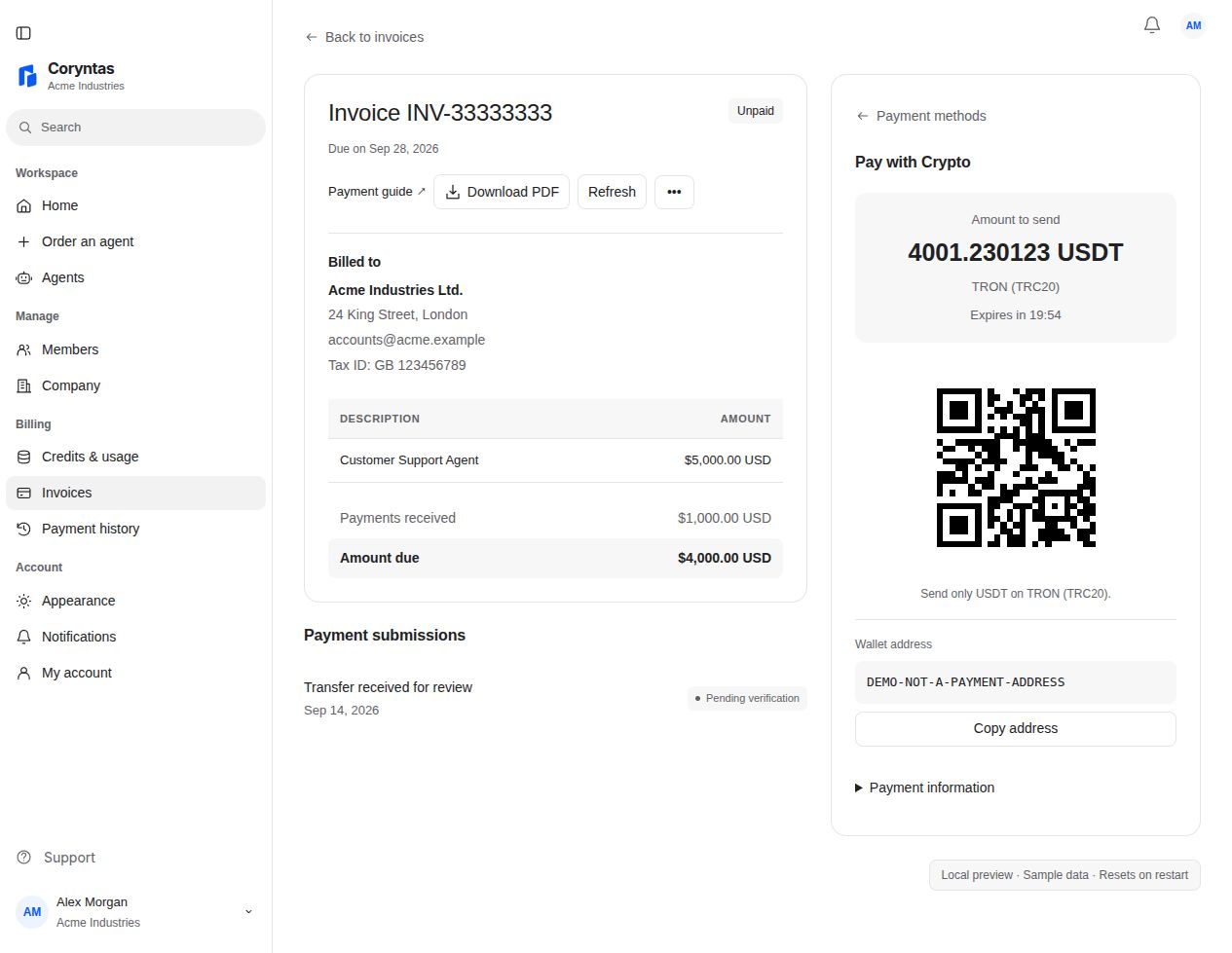
You should see: the checkout tracks the payment attempt. Verification follows the required network confirmations; preparing a checkout does not mark the invoice paid.
Follow the payment status#
Keep the invoice open or return to it to review the checkout and remaining balance. If payment was already sent, check that attempt and contact Support about an uncertain result before creating or paying another one.
Use only current, unexpired instructions. An expired attempt may offer a new checkout; the new instructions must be checked again. Do not reuse an old address or assume a new attempt uses the same amount.
If checkout or a transfer has a problem#
If Crypto is unavailable, use an available bank or Payoneer option. If the QR code cannot render, use Copy address and verify the copied value.
For a sent transfer that remains unconfirmed, provide the invoice reference, network, transaction hash, and approximate time through Support. Never provide a wallet seed phrase or private key. Sending on a different network or to an incorrect address may prevent matching or recovering the payment; do not assume recovery is available.
Related guides#
Last updated on