Recover unsaved changes and resolve save conflicts
On this page
Company editing and agent requests can retain a draft in the same browser tab. A recovered draft still needs review and submission.
Before you begin#
Who can do this: Owner or Billing for company edits and agent requests. Use the same account, company, and browser tab as the draft. Browser storage must be available.
Recover a supported draft#
- Return to Settings → Company or the agent request you were editing, in the original tab.
- Look for the restored-draft message.
- Review every field against the current saved information.
- Complete the normal review and save or submit steps.
You should see: the recovered values available for review. Drafts are scoped to your account and company and expire after 24 hours. Saving, explicitly discarding, or successfully logging out clears them.
A new tab, another browser, cleared storage, or an expired draft may not restore your work. If storage is unavailable, keep the current page open. Member forms, payment evidence, and support reply text do not share this company/agent draft guarantee.
Resolve a company save conflict#
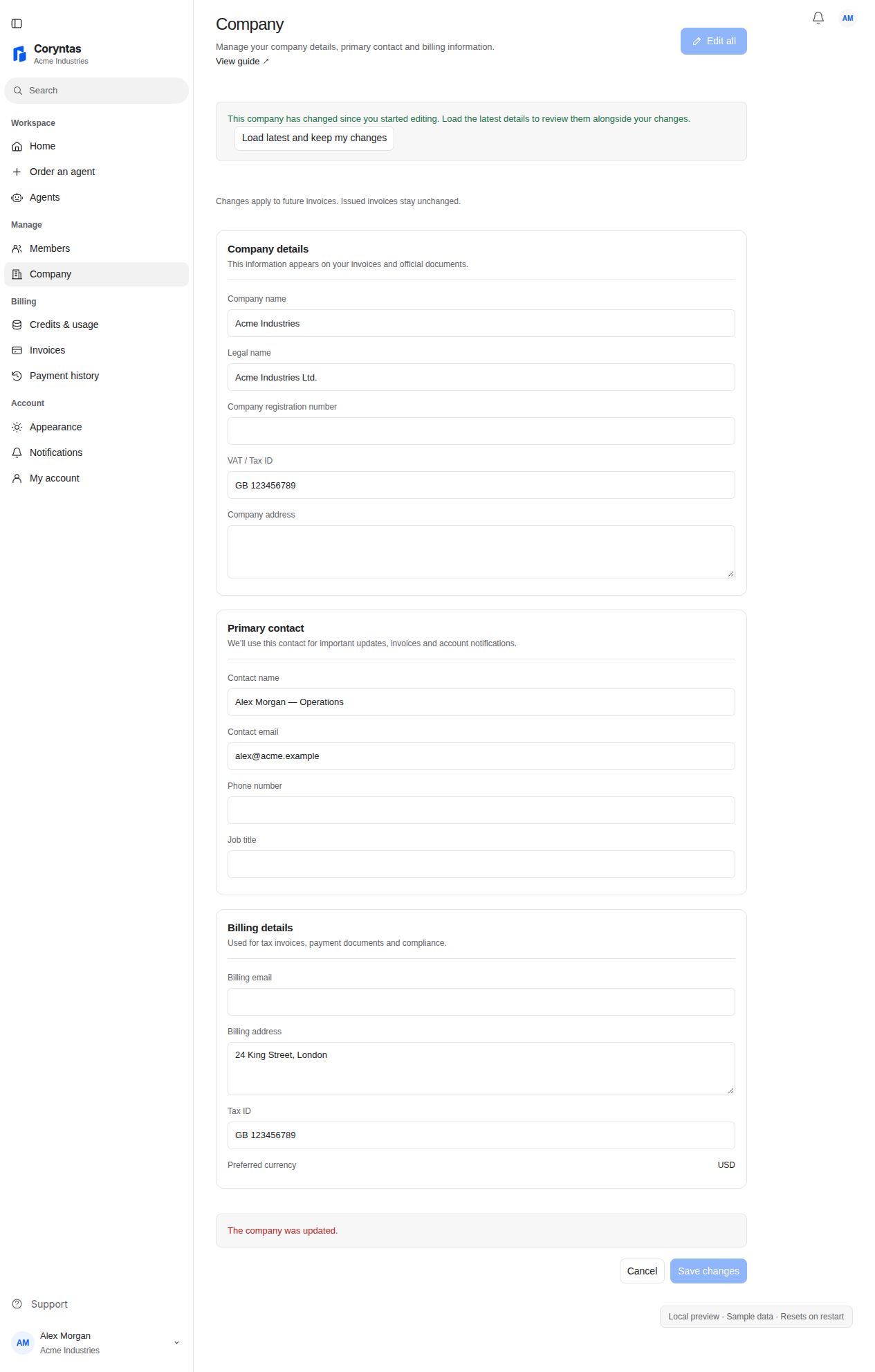
- When a save reports another update, stop and read the conflict message.
- Choose Load latest and keep my changes.
- Review the refreshed form. The app retains your edited fields and identifies values changed by both users.
- Decide the correct final value for each overlap, then choose Save changes.
You should see: Company information updated after a successful save. Loading the latest information alone does not save the draft.
If recovery or saving still fails#
If a conflict repeats, coordinate with the other editor and reload the latest values again. Do not repeatedly click Save without reviewing. If sign-in interrupted a write, inspect the resulting record before resubmitting; writes are not automatically replayed.
For Support, describe the affected fields and error. Avoid including confidential field values when the field names alone explain the issue.
Related guides#
Last updated on