Review and accept a quotation
On this page
A quotation is a proposed scope and commercial summary for an agent request. Review it with the people responsible for the workflow before accepting.
Before you begin#
Who can do this: an Owner accepts quotations. Owner and Billing can review the commercial view. The agent must have a quotation available and acceptance enabled.
Review the proposal#
- Open Agents and select the quoted request.
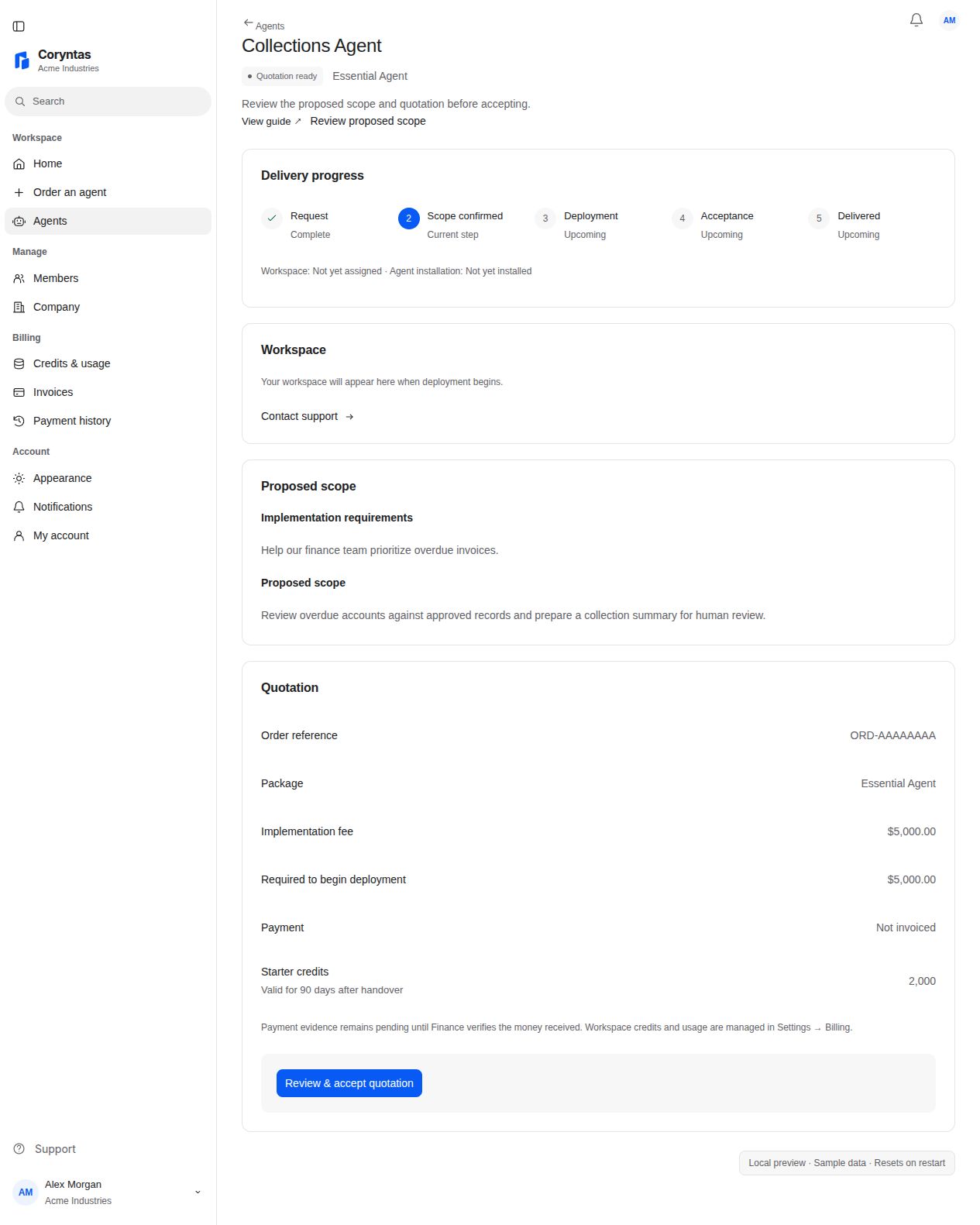
- Use Review proposed scope or scroll to Proposed scope.
- Compare the implementation requirements and proposed scope with the outcome you requested.
- In Quotation, review the package, implementation fee, and Required to begin deployment. Check the displayed package benefits and terms, when provided.
- If scope or pricing needs correction, contact Support before accepting.
Accept as an Owner#
- Choose Review & accept quotation.
- Read Accept this quotation? and the scope and amount shown in the confirmation.
- Choose Accept quotation only when the proposal is correct.
- Follow the agent's next action, including its invoice if payment is required.
You should see: the accepted request moves forward from the quoted state. Acceptance does not itself transfer money. Deployment readiness depends on verified payment and the other displayed delivery requirements.
If acceptance is unavailable#
Check that you are an Owner of the selected company and that the request is still quoted. Billing users should ask an Owner to review it. A changed quotation or stale page may require refreshing and reviewing the new proposal.
After a failed or interrupted submission, reopen the agent and check its current state before trying again. If the result is unclear, contact Support with the order reference and visible error.
Related guides#
Last updated on